Introduction to ReLens Camera – Focus & DSLR Blur
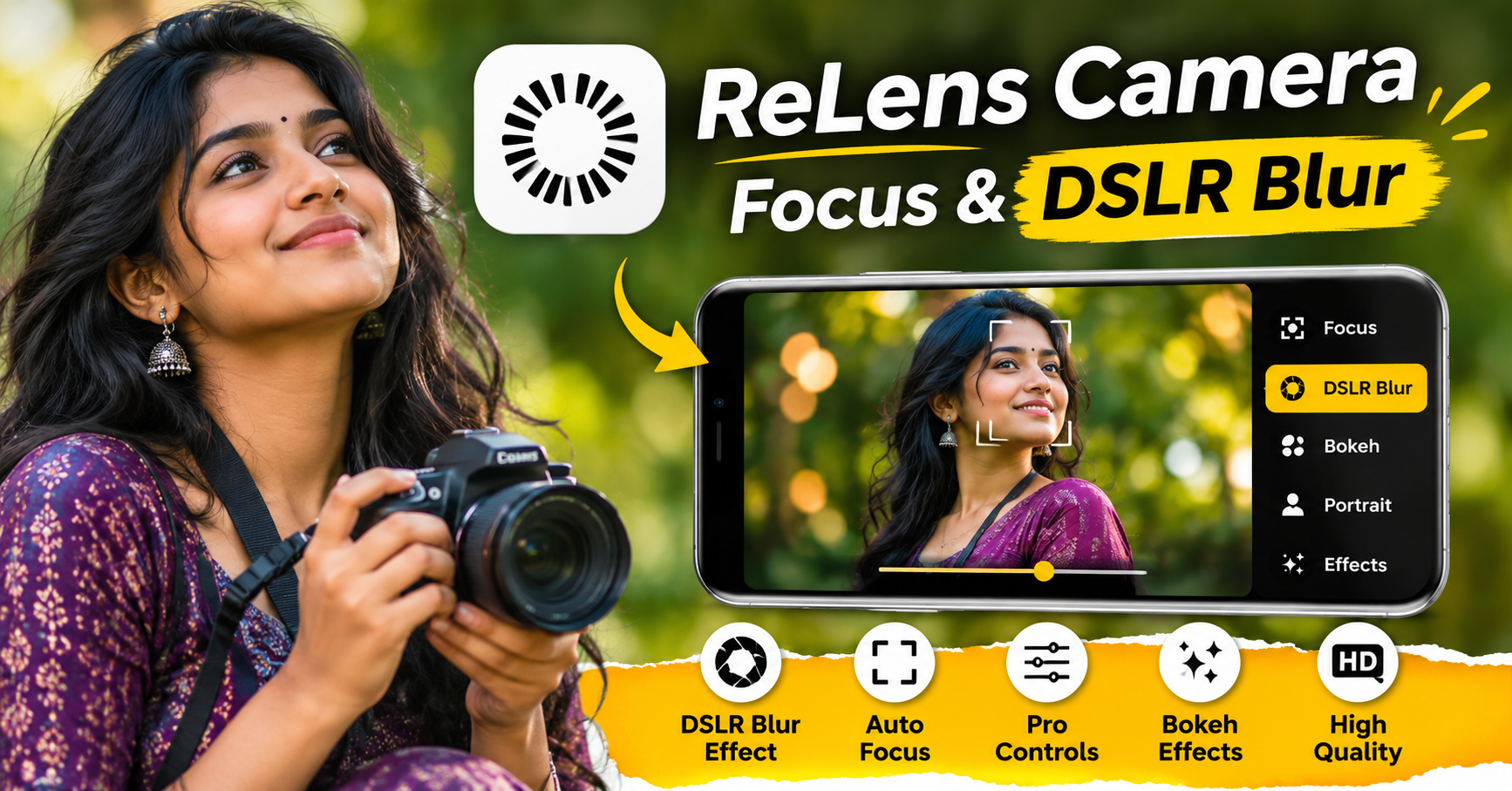
ReLens Camera – Focus & DSLR Blur is a photography application designed for users who want to capture professional-looking photos using their smartphones. The app focuses on creating DSLR-style photographs with beautiful background blur, sharp subject details, and attractive camera effects. It helps users achieve photography results similar to those produced by professional cameras without purchasing expensive DSLR equipment.
With its advanced focus controls, depth effects, portrait photography tools, and background blur features, ReLens Camera makes mobile photography more creative and enjoyable. Whether you are a beginner, social media content creator, or photography enthusiast, this application provides useful tools to improve the appearance of your pictures.
What Is ReLens Camera – Focus & DSLR Blur?
ReLens Camera is a mobile photography and photo-editing application that allows users to create DSLR-inspired images using their smartphones. One of its main attractions is its ability to produce a depth-of-field effect, where the main subject remains clear while the background appears softly blurred.
Related Posts
This effect is commonly known as Bokeh photography. Professional photographers use specialized lenses and camera settings to achieve this result. ReLens brings similar creative effects to mobile photography through software-based processing and editing tools.
Users can capture new photographs or import existing images from their device gallery and apply different focus and blur effects. This makes the app useful for portrait photography, product photography, nature photography, and social media image editing.
Main Features of ReLens Camera
ReLens Camera offers several photography tools that help users improve their pictures. Its features are designed to provide more control over image appearance, background effects, and subject focus.
The application focuses on making smartphone photography look more professional through different lens effects and editing options. Depending on the app version and available features, users may find portrait effects, aperture adjustments, background blur, and other photography tools.
DSLR Background Blur Effect
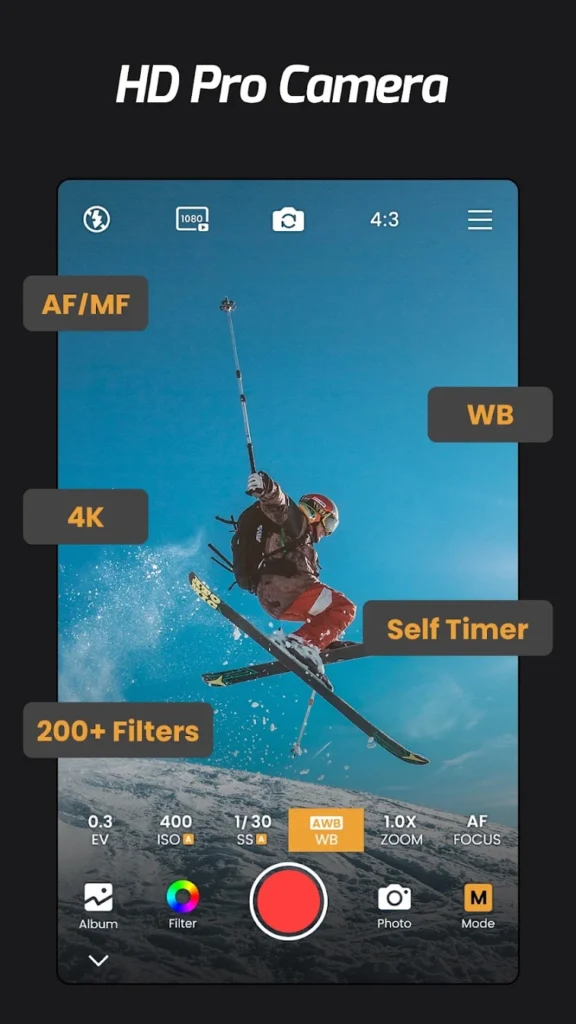
One of the most popular features of ReLens Camera is its DSLR-style background blur effect. This feature helps users separate the main subject from the background, creating an attractive professional photography appearance.
For example, when taking a portrait photograph, the application can keep the person’s face and body in focus while making the surrounding background appear blurred. This creates a beautiful depth effect and gives more importance to the main subject.
Users can adjust the blur intensity according to their preferences. A soft blur creates a natural photography appearance, while a stronger blur produces a more dramatic effect. This feature is especially useful for Instagram photos, profile pictures, and creative portrait photography.
Professional Portrait Photography
Portrait photography is an important feature for people who enjoy capturing personal photographs. ReLens Camera provides tools to create professional-looking portrait images using smartphone cameras.
The app helps highlight the main subject by separating it visually from the surrounding environment. Users can experiment with different focus effects to make their portraits more attractive.
This feature is useful for individual portraits, couple photography, family pictures, and outdoor photographs. By choosing suitable lighting and background conditions, users can create beautiful images that look similar to professional camera photography.
Aperture Adjustment Options
Aperture is an important concept in photography because it controls how much light enters a camera lens and influences the depth of field. ReLens Camera provides creative aperture-style controls in supported editing modes to help users change the appearance of their photographs.
Users can experiment with different aperture effects to create images with varying levels of background blur. A wider-aperture appearance produces a stronger separation between the subject and background, while a deeper-focus appearance keeps more elements visually clear. These controls are particularly helpful for users who want to understand photography techniques and experiment with different visual styles.
Multiple Lens Effects
Another interesting aspect of ReLens Camera is its lens-inspired photography effects. Different lenses produce different photographic results, including changes in perspective, background appearance, and subject composition.
The application may provide different lens simulations and visual effects depending on the version. These options allow users to experiment with creative photography without physically changing their smartphone camera lens.
Lens effects can be useful for portrait images, street photography, close-up photography, and artistic compositions. They also help users explore different photography styles and discover which visual appearance works best for their pictures.
AI-Powered Photo Editing
Modern photography applications increasingly use Artificial Intelligence to improve image editing. ReLens Camera includes AI-assisted features in supported versions that can help users create depth effects and improve the appearance of photographs.
AI-based processing can identify the main subject and distinguish it from the background. This makes it easier to apply blur effects without manually editing every part of an image.
Such technology can be particularly useful when editing photographs containing people, objects, or other prominent subjects. However, the final result may depend on image quality, lighting conditions, and how accurately the subject is detected.
Realistic Bokeh Effects
Bokeh is a photography technique that creates attractive blurred areas in the background of an image. It is commonly used in professional portrait and product photography.
ReLens Camera allows users to experiment with Bokeh-style effects to create visually appealing photographs. These effects can make background lights, outdoor scenery, and surrounding objects appear softer and more artistic.
The Bokeh effect is especially attractive when photographing subjects against backgrounds containing lights or distant objects. Users can experiment with different blur strengths to achieve a balanced and natural-looking result.
Photo Editing and Customization Tools
Apart from focus and background blur, photo customization is another important part of mobile photography. ReLens Camera provides editing options in supported versions that allow users to improve the overall appearance of their images.
Users may be able to adjust visual elements such as brightness, contrast, colour appearance, and other image effects. These adjustments help make photographs look more balanced and attractive.
Photo editing is particularly useful when an image looks too dark, has uneven lighting, or needs additional visual enhancement. By combining suitable editing adjustments with background blur, users can create polished photographs for personal use and social media platforms.
How to Use ReLens Camera – Focus & DSLR Blur
Using ReLens Camera is generally simple, even for beginners. Users can start by installing the application on a compatible smartphone and allowing the necessary camera and photo-library permissions.
After opening the application, users can choose the available camera mode to capture a new photograph or select an existing picture from their gallery. Once the image is loaded, they can explore the available focus and background blur options.
The next step is selecting the main subject and adjusting the blur intensity. Users should check whether the subject remains sharp and whether the background blur looks natural. After completing the required adjustments, they can apply additional editing effects and save the final image to their device.
Benefits of Using ReLens Camera
ReLens Camera offers several benefits for people interested in smartphone photography. The biggest advantage is that it provides DSLR-inspired photography effects without requiring users to purchase professional camera equipment.
The app makes it easier to create attractive portrait images, experiment with background blur, and improve existing photographs. Its editing tools can also help beginners understand basic photography concepts such as focus, depth of field, and Bokeh.
Another benefit is convenience. Users can capture, edit, and save photographs directly from their smartphones. This makes the application suitable for everyday photography and social media content creation.
ReLens Camera for Instagram and Social Media
High-quality photographs play an important role in social media content creation. Instagram users, bloggers, influencers, and digital creators often prefer attractive images with professional-looking backgrounds.
ReLens Camera can help users improve their social media photographs by applying portrait blur, focus effects, and creative editing adjustments.
For example, users can create attractive profile pictures, aesthetic portraits, product photographs, and lifestyle images. These photographs can be shared on Instagram, Facebook, WhatsApp, and other social media platforms. A properly edited photograph with balanced lighting and natural background blur can make social media content more visually appealing.
ReLens Camera for Product Photography
Product photography is important for online sellers, small businesses, and digital marketing professionals. Clear product images help customers understand the appearance and details of products.
ReLens Camera can be useful for creating product photographs with a highlighted subject and blurred background. This makes the product more noticeable and reduces distractions from surrounding objects.
For example, users can photograph mobile phones, watches, accessories, clothing items, and other products using suitable focus effects. A clean background and proper lighting can further improve the overall appearance of product images. However, users should ensure that blur effects do not hide important product details.
Advantages and Disadvantages of ReLens Camera
Like other mobile photography applications, ReLens Camera has both advantages and limitations. Understanding these points can help users decide whether the application is suitable for their photography requirements.
| Advantages | Disadvantages |
|---|---|
| DSLR-style background blur effects | Some features may require payment |
| Useful portrait photography tools | Results depend on image quality |
| Creative Bokeh effects | AI subject detection may not always be perfect |
| Suitable for beginners | Some advanced tools may require practice |
| Helps improve social media photos | Certain effects may look artificial |
| Smartphone-based photo editing | Device compatibility may vary |
Is ReLens Camera Suitable for Beginners?
Yes, ReLens Camera can be a useful option for beginners who want to explore creative mobile photography. Users do not need professional photography knowledge to start experimenting with its basic focus and blur features.
The application provides an opportunity to understand how subject focus, background separation, and depth effects influence the appearance of a photograph.
Beginners can start with simple portrait images and gradually experiment with different blur strengths and editing options. With regular practice, they can develop better photography skills and create more attractive smartphone photographs.
Tips to Get Better Results Using ReLens Camera
To achieve better results, users should begin with high-quality photographs that have sufficient lighting and a clearly visible subject. Images with a strong difference between the subject and background are often easier to edit.
Avoid applying excessive blur because it can make photographs look artificial. Instead, choose a suitable blur intensity that maintains a natural appearance. Users should also check the edges around hair, clothing, and other detailed areas to ensure that the subject separation looks realistic. Experimenting with different lighting conditions, backgrounds, and camera angles can also improve the final result.
ReLens Camera – Focus & DSLR Blur: App Availability and Compatibility
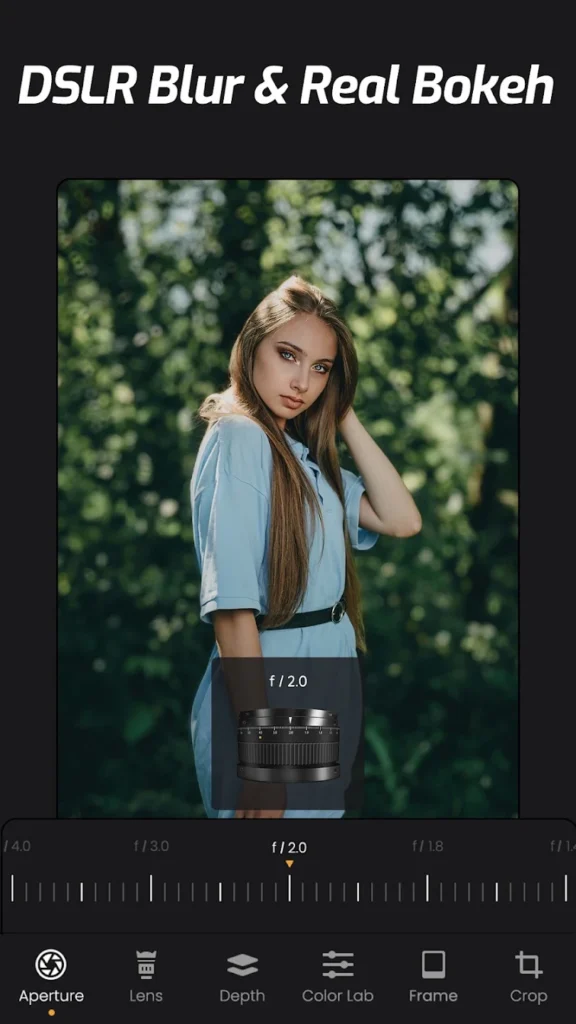
ReLens Camera is designed for mobile photography users who want to create DSLR-style effects on their smartphones. Availability, supported devices, operating system requirements, and individual features may vary depending on the application version and device compatibility.
Users should check the official Google Play Store listing for the latest application information, supported Android versions, subscription details, and available features before installing it. It is also recommended to review the application’s permissions and privacy information before granting access to the camera or photo library.
Download Now
Conclusion
ReLens Camera – Focus & DSLR Blur is an interesting photography application for users who want to improve their smartphone photographs with professional-looking visual effects. Its focus adjustments, DSLR-style background blur, portrait photography features, and Bokeh effects make it a useful tool for creative image editing.
Whether you are a beginner, Instagram content creator, blogger, or photography enthusiast, ReLens Camera provides an opportunity to experiment with different photography styles directly from your smartphone. Although software-based effects cannot completely replace the optical capabilities of a professional DSLR camera, they can help users create beautiful and attractive photographs with less effort.