Introduction
Instagram is one of the most popular social media platforms, allowing users to share photos, videos, Reels, Stories, and messages with friends and followers. To keep an Instagram account secure, users need a strong password that prevents unauthorized access. However, forgetting a password is a common problem, especially when switching devices, reinstalling the app, or logging in after a long time.
If you have forgotten your Instagram password or want to change it for security reasons, you can reset it using your registered email address, mobile number, or username. Instagram provides several recovery options to help users regain access to their accounts. In this guide, you will learn how to reset your Instagram password step by step, recover your account without a password, troubleshoot common login problems, and protect your account from future security threats.
What Is an Instagram Password Reset?
An Instagram password reset is a process that allows users to create a new password when they forget their existing password or believe that their account may be compromised. Instead of knowing the old password, users can verify their identity through the recovery options provided by Instagram.
Related Posts
Resetting your password can help you regain access to your account and improve account security. It is particularly useful if you have changed your phone, lost access to your account, or received a suspicious login notification. Instagram may send a password reset link or verification code to your registered email address or phone number. After completing the verification process, you can create a new password and log in again.
How to Reset Instagram Password Using the Mobile App
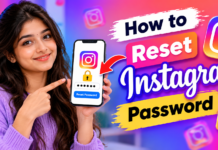
The easiest way to reset your Instagram password is through the official Instagram mobile application. This method is suitable for Android and iPhone users who cannot remember their current password.
First, open the Instagram app on your smartphone and navigate to the login screen. Look for the option labelled Forgot password? or a similar account recovery option. Enter your Instagram username, registered email address, or mobile number in the available field. Instagram will then provide the recovery options available for your account.
Follow the on-screen instructions to receive a password reset link or verification code. Open the link or enter the code as instructed, and create a new password. Once the process is completed, return to the Instagram login screen and sign in using your username and new password. The exact wording and placement of these options may vary depending on your app version and device.
How to Reset Instagram Password Using a Web Browser
You can also reset your Instagram password using a web browser on a computer, laptop, or smartphone. This option is helpful when the Instagram application is not working correctly or you prefer using a desktop device.
Open your browser and visit the official Instagram website at https://www.instagram.com/. Navigate to the login page and select the password recovery option. Enter your username, email address, or mobile number associated with your account. Follow the instructions displayed on the screen to request a password reset link or another available verification method.
Check your registered email inbox or SMS messages for the recovery instructions. If you receive a reset link, open it and follow the steps to set a new password. After successfully updating your password, return to Instagram and log in again. Always make sure that you are using the official Instagram website rather than an unfamiliar website claiming to recover your account.
How to Reset Instagram Password Using Your Email Address
Your registered email address is one of the most convenient ways to recover an Instagram account. This method is especially useful when you remember your email address but have forgotten your Instagram password.
Open Instagram and select the password recovery option on the login screen. Enter the email address linked to your account and submit your request. Instagram may send you an email containing a password reset link or other recovery instructions. Open your email application and check your inbox for the message.
If the email does not appear, check your spam, junk, promotions, or other filtered folders. Make sure that you entered the correct email address associated with your Instagram account. Once you receive the official recovery message, follow the instructions and create a strong new password. If you no longer have access to the registered email account, you may need to use another recovery option or follow Instagram’s account recovery process.
How to Reset Instagram Password Using Your Mobile Number
Instagram may allow you to recover your account using the mobile number connected to your profile. This method is useful when your registered phone number is active and you can receive SMS messages.
Open the Instagram login screen and choose the password recovery option. Enter your registered mobile number, including the correct country code if requested. Submit the details and follow the available instructions. If SMS recovery is supported for your account, Instagram may send a verification code or recovery link to your phone.
Enter the code if prompted and continue with the password reset process. After verifying your identity, create a new password and use it to sign in. If you do not receive the SMS, check your mobile network, confirm that the number is correct, and wait before requesting another code. Avoid sharing verification codes with anyone, even if they claim to be Instagram support.
How to Reset Instagram Password Without Email or Phone Number
Recovering an Instagram account without access to the registered email address or mobile number can be more difficult, but there may still be recovery options available. The available methods depend on your account information, device, and Instagram’s security checks.
Open the Instagram app and navigate to the account recovery screen. Enter your username or another requested account identifier, then select the option indicating that you cannot access the available recovery methods, if it appears. Follow the instructions provided by Instagram. You may be asked to provide additional information or complete an identity verification process.
You can also visit the official Instagram recovery page at https://www.instagram.com/hacked/ if you suspect that your account has been compromised or you cannot regain access through the usual methods. Provide accurate information and follow the instructions shown. Not every account will receive the same recovery options, and successful recovery cannot be guaranteed. Never pay an unknown person who promises to recover your account.
How to Change Your Instagram Password When You Are Logged In
If you can still access your Instagram account, you can change your password through the account settings. This is a useful option when you want to improve security or believe that someone else may know your current password.
Open Instagram and go to your profile. Tap the menu icon and navigate to Accounts Center. Depending on your app version, select Password and security, followed by Change password. Choose the Instagram account you want to update if multiple accounts are connected.
Enter your current password and the new password as requested. Confirm the new password and save your changes. If you have forgotten the current password, use the password recovery process instead. After changing your password, review your account’s login activity and remove unfamiliar devices or sessions. This additional step can help protect your profile from unauthorized access.
Tips for Creating a Strong Instagram Password
Creating a strong password is essential for protecting your personal information, private messages, photographs, and other account details. A weak password can make it easier for attackers to gain access, particularly when the same password is used across multiple websites.
Choose a password that is long, unique, and difficult to guess. A combination of unrelated words, numbers, and symbols can help create a stronger password. Avoid using your name, date of birth, phone number, or common sequences such as 123456. Do not reuse your Instagram password on other social media accounts or websites.
Consider using a reputable password manager to generate and store unique passwords securely. You should also enable two-factor authentication through Instagram’s security settings. This adds another layer of protection by requiring an additional verification method during certain login attempts. Never share your password or recovery codes with strangers.
Common Problems When Resetting Instagram Password
Sometimes, users may experience difficulties while resetting their Instagram passwords. Common issues include not receiving a recovery email, missing SMS verification codes, expired reset links, incorrect account details, and temporary login restrictions.
If you do not receive an email, check your spam folder and confirm that you entered the correct email address. If an SMS code does not arrive, verify your phone number and network connection. If a reset link has expired, request a new one through the official Instagram recovery process. Avoid repeatedly requesting codes within a short period because this may trigger temporary restrictions.
If Instagram displays an error message, update the application, check your internet connection, or try the recovery process using a browser. If the problem continues, visit the official Instagram Help Center at https://help.instagram.com/ and follow the account access instructions relevant to your situation.
How to Protect Your Instagram Account After Resetting Your Password
After resetting your Instagram password, take a few additional steps to make your account more secure. Start by reviewing your login activity and checking whether any unfamiliar devices or locations appear. If you find suspicious sessions, log them out and change your password again if necessary.
Enable two-factor authentication and ensure that your registered email address and mobile number are correct. Keep your email account secure because access to it may allow someone to interfere with your Instagram recovery process. Be careful when opening suspicious links sent through direct messages, emails, or text messages.file:///C:/Users/91984/Downloads/reels_tamil_password_demo.html
Instagram will never require you to disclose your password to an unknown person who claims to be a support agent. Be cautious of messages threatening to disable your account unless you click a link or provide personal information. Use only official Instagram recovery tools and never share verification codes with anyone.
Frequently Asked Questions About Instagram Password Reset
Can I reset my Instagram password without knowing the old password?
Yes. You can use Instagram’s Forgot password option and follow the available recovery instructions. Depending on your account, you may be able to verify your identity through your registered email address, phone number, or another supported recovery method.
How can I reset my Instagram password if I forget my username?
You can try entering the email address or mobile number linked to your Instagram account instead of your username. If you still cannot identify your account, use Instagram’s official account recovery options.
Why am I not receiving the Instagram password reset email?
The email may be delayed, filtered into your spam folder, or sent to an email address that is not linked to your account. Check these possibilities and request a new reset email if necessary.
Will resetting my Instagram password delete my photos and followers?
No. Resetting your password does not normally delete your photos, followers, messages, or profile information. It changes your login credentials so that you can access your account securely.
What should I do if someone has hacked my Instagram account?
Visit https://www.instagram.com/hacked/ and follow the official recovery instructions. Secure your registered email account, change any reused passwords, and enable two-factor authentication after regaining access.
Instagram Password
Conclusion
Resetting your Instagram password is a straightforward process when you have access to your registered email address or mobile number. You can recover your account through the Instagram mobile app or website by following the official password recovery instructions. If you cannot access your recovery details or suspect that your account has been hacked, use Instagram’s official account recovery tools.
After regaining access, create a strong and unique password, enable two-factor authentication, and review your login activity. These simple security practices can help protect your account and reduce the risk of unauthorized access. Always use official Instagram services for password recovery and avoid sharing sensitive login information with anyone. By following this step-by-step guide, you can reset your Instagram password and continue using the platform with greater confidence and security.