Free YouTube Audio Cutter Online – Complete Guide
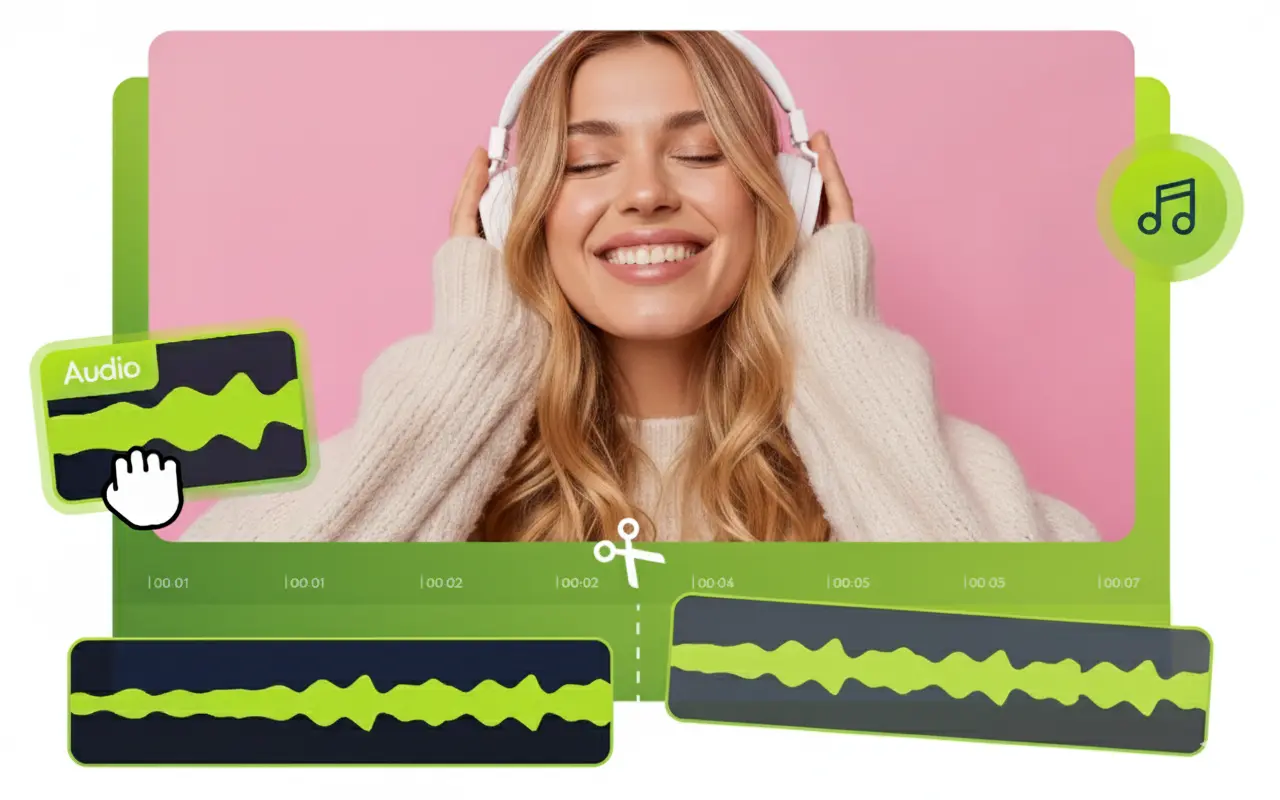
YouTube videos-la irukkura audio portion-ai full video-va download pannaama, தேவையான part மட்டும் cut அல்லது trim செய்ய வேண்டும் என்றால் Free YouTube Audio Cutter Online tools மிகவும் useful-ஆ இருக்கும். Music, podcast, interview, speech, background music, dialogue அல்லது YouTube video-வில் இருக்கும் ஒரு குறிப்பிட்ட audio section போன்றவற்றை quick-ஆ edit செய்ய இந்த online tools பயன்படுத்தலாம். முக்கியமாக software install செய்ய வேண்டிய அவசியம் இல்லாமல் browser மூலமாகவே basic audio cutting work-ஐ complete செய்ய முடியும்.
இந்த tools beginners-க்கும் easy-ஆ இருக்கும். Audio editing software பற்றிய advanced knowledge இல்லாதவர்களும் simple upload, trim, preview, download என்ற process மூலம் audio file-ஐ தேவைக்கேற்ப cut செய்யலாம். கீழே Free YouTube Audio Cutter Online பற்றி complete-ஆவும் practical-ஆவும் பார்க்கலாம்.
Free YouTube Audio Cutter Online என்றால் என்ன?
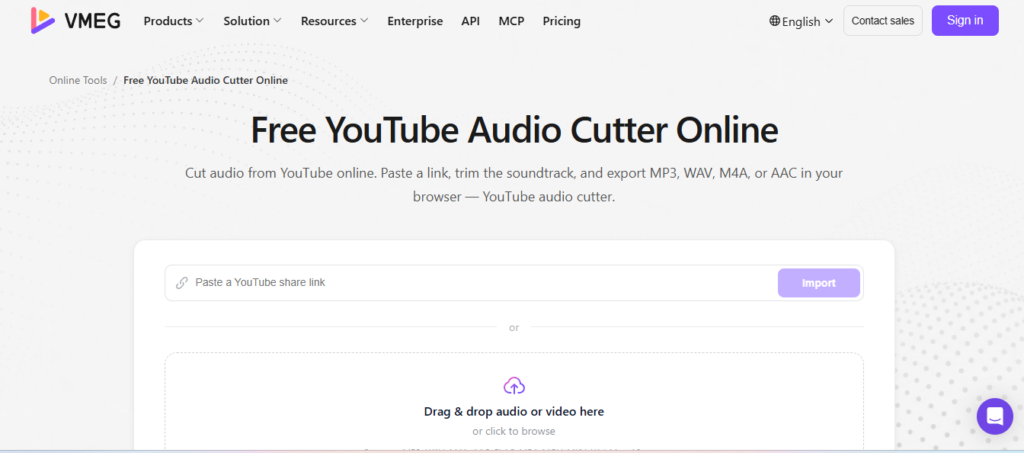
Free YouTube Audio Cutter Online என்பது YouTube content-ல் பயன்படுத்தக்கூடிய audio-வை தேவையான length-க்கு cut அல்லது trim செய்ய உதவும் browser-based audio editing tool concept ஆகும். பொதுவாக இந்த type of online tools-ல் audio file upload செய்து, start point மற்றும் end point select செய்து, unwanted portions remove செய்து, final audio-வை save செய்ய முடியும்.
Related Posts
இதன் முக்கியமான advantage என்னவென்றால் computer அல்லது mobile-ல் separate audio editing application install செய்ய வேண்டியதில்லை. Browser open செய்து online editor-ஐ பயன்படுத்தலாம். சில tools waveform view, preview, fade in, fade out, volume adjustment போன்ற additional features-யும் வழங்கலாம்.
YouTube Audio-வை ஏன் Cut செய்ய வேண்டும்?
ஒரு YouTube video-வில் இருந்து complete audio தேவையில்லாமல் ஒரு குறிப்பிட்ட portion மட்டும் தேவைப்படலாம். உதாரணமாக ஒரு song-ல் particular music section, podcast-ல் ஒரு important speech, interview-ல் ஒரு specific answer அல்லது tutorial-ல் ஒரு short explanation ஆகியவற்றை தனியாக பயன்படுத்த வேண்டிய situation வரலாம்.
Audio cutter பயன்படுத்தும்போது unwanted silence, unnecessary introduction அல்லது extra ending போன்ற பகுதிகளை remove செய்து தேவையான portion மட்டும் வைத்துக்கொள்ளலாம். இதனால் audio file short-ஆவும் convenient-ஆவும் இருக்கும்.
மேலும் content creators, students, podcasters மற்றும் video editors போன்றவர்களுக்கு quick audio trimming மிகவும் useful. ஆனால் YouTube content-ஐ download அல்லது reuse செய்யும்போது copyright மற்றும் creator rights-ஐ கண்டிப்பாக respect செய்ய வேண்டும்.
Online Audio Cutter எப்படி வேலை செய்கிறது?
Online audio cutter-ன் basic workflow மிகவும் simple. முதலில் பயன்படுத்த அனுமதி உள்ள audio file-ஐ editor-ல் upload செய்ய வேண்டும். Upload முடிந்த பிறகு audio waveform அல்லது timeline screen-ல் தெரியும்.
அதில் start மற்றும் end markers இருக்கும். தேவையான audio section-ஐ select செய்து preview செய்யலாம். Selection சரியாக இருந்தால் unwanted portions remove செய்து final audio-ஐ export செய்யலாம். சில tools MP3, WAV, M4A போன்ற multiple formats-ல் save செய்யும் option-ஐ வழங்கலாம். இந்த entire process browser-லேயே நடைபெறுவதால் beginners கூட complicated settings இல்லாமல் audio trimming செய்ய முடியும்.
YouTube Audio Cutter பயன்படுத்தும் பொதுவான Steps
Free online audio cutter பயன்படுத்துவதற்கான basic steps பின்வருமாறு:
Step 1: Browser-ல் ஒரு reliable online audio cutter tool-ஐ open செய்யவும்.
Step 2: சட்டபூர்வமாக பயன்படுத்த உங்களுக்கு உரிமை உள்ள audio file-ஐ upload செய்யவும்.
Step 3: Audio waveform அல்லது timeline load ஆகும் வரை wait செய்யவும்.
Step 4: Start point மற்றும் end point-ஐ select செய்யவும்.
Step 5: Preview option மூலம் selected audio சரியாக இருக்கிறதா என்று check செய்யவும்.
Step 6: தேவையில்லாத audio portions இருந்தால் trim அல்லது cut செய்யவும்.
Step 7: தேவையான output format மற்றும் quality-ஐ select செய்யவும்.
Step 8: Final audio-வை export அல்லது download செய்யவும்.
இந்த process tool-க்கு tool சிறிய அளவில் மாறுபடலாம். ஆனால் basic workflow பெரும்பாலும் இதே மாதிரிதான் இருக்கும்.
Browser-ல் பயன்படுத்துவதன் Advantages
Online audio cutter-ன் biggest advantage convenience. Software installation, complicated setup அல்லது professional editing knowledge போன்றவை தேவையில்லை. Internet browser இருந்தால் desktop, laptop அல்லது சில cases-ல் mobile device-லிருந்தும் பயன்படுத்த முடியும்.
இன்னொரு advantage speed. ஒரு small audio file-க்கு simple trimming செய்யும்போது complete professional editing software open செய்ய வேண்டிய அவசியம் இருக்காது. Quick task-க்கு online editor practical solution ஆக இருக்கும். மேலும் சில free tools user-friendly interface, drag-and-drop upload, waveform preview மற்றும் one-click export போன்ற features வழங்குகின்றன.
Mobile-ல் Free Audio Cutter பயன்படுத்த முடியுமா?
ஆம், browser-based audio cutter tools-ல் சில mobile-friendly interface-ஐ support செய்கின்றன. Smartphone browser மூலம் website open செய்து supported audio file upload செய்து trimming செய்யலாம்.
Mobile screen desktop-ஐ விட small ஆக இருப்பதால் timeline selection செய்யும்போது little more careful-ஆ இருக்க வேண்டும். Exact audio segment தேவைப்பட்டால் headphones பயன்படுத்தி preview செய்வது useful.
ஆனால் எல்லா websites-மும் mobile browser-ல் ஒரே மாதிரி வேலை செய்யாது. File size limitations, browser compatibility மற்றும் processing restrictions போன்றவை tool-க்கு tool மாறுபடலாம்.
Audio Quality பாதிக்கப்படுமா?
Audio cut செய்யும்போது quality maintain செய்வது முக்கியம். சில online editors audio-வை process செய்து மீண்டும் encode செய்வதால் output quality சிறிதளவு மாறக்கூடும். குறிப்பாக low-quality source file-ஐ மீண்டும் compress செய்தால் audio clarity குறைய வாய்ப்பு உள்ளது.
அதனால் available options-ல் source-க்கு அருகிலான quality setting-ஐ choose செய்வது நல்லது. Original audio already compressed format-ல் இருந்தால் unnecessary conversions avoid செய்வதும் useful. ஒரு professional project என்றால் export செய்வதற்கு முன்பு final audio-வை headphones அல்லது good speakers மூலம் check செய்வது சிறந்தது.
MP3, WAV மற்றும் Other Formats
Online audio cutters பல்வேறு output formats-ஐ support செய்யலாம். MP3 என்பது பொதுவாக small file size மற்றும் wide compatibility காரணமாக popular. Mobile phones, computers மற்றும் many media players-ல் easy-ஆ play செய்ய முடியும்.
WAV format பொதுவாக higher-quality uncompressed audio-க்கு பயன்படுத்தப்படுகிறது, ஆனால் file size பெரியதாக இருக்கும். Editing workflow-க்கு WAV useful ஆக இருக்கலாம்.
சில tools M4A, AAC, OGG போன்ற formats-யும் support செய்யலாம். எந்த format தேர்வு செய்ய வேண்டும் என்பது final audio எதற்காக பயன்படுத்தப்படுகிறது என்பதைக் கருத்தில் கொண்டு decide செய்ய வேண்டும்.
Free Tool பயன்படுத்தும்போது கவனிக்க வேண்டியவை
“Free” என்று சொல்லப்படும் எல்லா online tools-மும் ஒரே மாதிரி இருக்காது. சில websites free basic trimming மட்டும் கொடுத்து advanced features-க்கு payment கேட்கலாம். சிலவற்றில் file size அல்லது duration restrictions இருக்கலாம்.
Privacy-யும் முக்கியமான factor. Personal recordings, private conversations அல்லது confidential audio files upload செய்யும்போது அந்த website-ன் privacy policy மற்றும் file-handling practices-ஐ check செய்வது நல்லது.
Unknown websites-ல் unnecessary permissions, suspicious downloads அல்லது unwanted browser notifications போன்றவற்றை avoid செய்ய வேண்டும். Reliable மற்றும் transparent service-ஐ தேர்வு செய்வது safer.
YouTube Copyright பற்றி தெரிந்து கொள்ள வேண்டியது
YouTube video அல்லது audio-வை cut செய்வது technically possible என்றாலும், அதை download செய்து reuse செய்வதற்கான உரிமை automatically கிடைத்துவிடாது. ஒரு song அல்லது copyrighted audio-வை YouTube-ல் இருந்து எடுத்து மற்றொரு video, Reel அல்லது commercial project-ல் பயன்படுத்தினால் copyright issue ஏற்படலாம்.
அதனால் உங்களுடைய own content, permission பெற்ற content, royalty-free audio அல்லது legally reusable material ஆகியவற்றை மட்டுமே பயன்படுத்துவது நல்ல practice. “Audio cutter” என்பது editing tool மட்டுமே; அது copyright permission வழங்கும் service அல்ல. இந்த difference-ஐ புரிந்து கொள்வது மிகவும் முக்கியம்.
Content Creators-க்கு இது எப்படி Useful?
YouTube creators மற்றும் social media content creators-க்கு audio trimming regular requirement ஆக இருக்கலாம். Video editingக்கு முன்பாக audio-வில் unwanted silence, long intro அல்லது extra ending போன்றவற்றை remove செய்யலாம்.
Podcast creators short clips உருவாக்கும்போது selected audio portion-ஐ trim செய்யலாம். Educational content creators lecture அல்லது explanation-ல் தேவையான segment-ஐ separate file ஆக prepare செய்யலாம். அதே நேரத்தில் copyrighted music-ஐ permission இல்லாமல் reuse செய்வதை avoid செய்ய வேண்டும். Creator-owned அல்லது properly licensed audio தான் safest choice.
Students மற்றும் Beginners-க்கு பயன்பாடு
Students-க்கு recorded lecture, language practice audio அல்லது study material-ல் தேவையான portion மட்டும் retain செய்ய audio cutter helpful ஆக இருக்கும். Long recording-ல் unnecessary silence மற்றும் unrelated portions-ஐ remove செய்து focused audio உருவாக்கலாம்.
Beginners-க்கு இது basic audio editing concepts கற்றுக்கொள்ளவும் உதவும். Timeline, start point, end point, preview மற்றும் export போன்ற fundamental editing concepts-ஐ online tool மூலம் easy-ஆ understand செய்யலாம்.
Best Free YouTube Audio Cutter தேர்வு செய்வது எப்படி?
ஒரு online audio cutter தேர்வு செய்யும்போது சில முக்கியமான factors-ஐ check செய்ய வேண்டும். First, interface simple-ஆ இருக்கிறதா என்பதை பாருங்கள். Beginners-க்கு complicated editor தேவையில்லை.
Second, supported file formats மற்றும் maximum file size என்ன என்பதை check செய்ய வேண்டும். Third, audio quality மற்றும் export options இருக்கிறதா என்பதை பார்க்க வேண்டும். Fourth, privacy policy மற்றும் uploaded files எப்படி handle செய்யப்படுகின்றன என்பதையும் கவனிக்க வேண்டும். மேலும் unwanted ads, pop-ups மற்றும் suspicious downloads அதிகமாக இருக்கும் websites-ஐ avoid செய்வது நல்லது.
Online Audio Cutter-ன் Limitations
Free online audio cutters simple trimming tasks-க்கு excellent என்றாலும் professional audio productionக்கு complete replacement அல்ல. Multi-track editing, advanced noise reduction, detailed equalization, mixing, mastering மற்றும் complex effects போன்ற features எல்லா free tools-லும் கிடைக்காது.
Internet connection தேவைப்படுவது மற்றொரு limitation. Large audio files upload மற்றும் processing செய்ய அதிக நேரம் ஆகலாம். சில websites file size அல்லது audio duration-க்கு restrictions வைத்திருக்கலாம். அதனால் simple cutting task-க்கு online tool பயன்படுத்துவது practical; advanced production work-க்கு dedicated audio editing software better choice.

Safe மற்றும் Efficient Audio Cutting Tips
Audio trim செய்வதற்கு முன்பு original file-ன் backup வைத்திருப்பது நல்ல habit. Editing செய்யும் போது original file overwrite ஆகாமல் பார்த்துக்கொள்ளுங்கள். Trim selection-ஐ download செய்வதற்கு முன்பு முழுமையாக preview செய்யவும். Start மற்றும் end points-ல் unwanted clicks அல்லது sudden cuts இருக்கிறதா என்பதை check செய்யுங்கள். தேவையானால் fade-in அல்லது fade-out option பயன்படுத்தலாம். Final file-ஐ export செய்த பிறகு அதை மீண்டும் play செய்து quality மற்றும் duration சரியாக இருக்கிறதா என்பதை verify செய்யவும்.
Conclusion
Free YouTube Audio Cutter Online என்பது simple audio trimming தேவைகளுக்கு மிகவும் convenient ஆன solution. Software install செய்யாமல் browser மூலமாக audio upload செய்து, தேவையான start மற்றும் end points select செய்து, unwanted portions remove செய்து final audio-வை export செய்ய முடியும்.
Students, beginners, content creators, podcasters மற்றும் casual users ஆகியோருக்கு இது time-saving option ஆக இருக்கலாம். ஆனால் YouTube content-ஐ பயன்படுத்தும்போது copyright, licensing மற்றும் creator rights-ஐ மறக்காமல் கவனிக்க வேண்டும்.
ஒரு நல்ல online audio cutter தேர்வு செய்யும்போது ease of use, supported formats, audio quality, privacy, file-size limits மற்றும் export options போன்றவற்றை compare செய்வது முக்கியம். Simple trimming work என்றால் free online tool போதுமானதாக இருக்கும்; advanced editing தேவைப்பட்டால் professional audio editor பயன்படுத்துவது சிறந்தது. மொத்தத்தில், தேவையான audio portion-ஐ மட்டும் quickly cut செய்ய வேண்டும் என்றால் Free YouTube Audio Cutter Online ஒரு easy, accessible மற்றும் beginner-friendly editing solution ஆக பயன்படுத்தப்படலாம்.